Revamping new user onboarding to boost seller activation
New creators now watch their school take shape as they set it up, so Teachable feels like theirs from the first few clicks.
Context
Creators arrive knowing their audience and their content. What slows them down is setting Teachable up.
After analyzing multiple onboarding calls, a clear pattern emerged. Creators rarely needed help with strategy. They got stuck on branding, domains and setup, and a little hands-on help got them moving fast.
of call time went to technical setup, not business strategy
17 of 24 trial creators who got a call converted to paid, about 71%
Top topics across 23 calls with new paid subscribers
If a few minutes of help unblocks creators, the onboarding itself should do that work, right when they need it.
The problem
Six screens before anything felt like theirs
New creators faced a wall of questions, then a five-step course builder that asked for a thumbnail and a price before they had seen any value. Toggle to compare the flows.
Research
Auditing the experience through each persona’s eyes
I walked through the full current flow (survey, dashboard and setup guide) once for each persona, putting myself in their shoes. Each sticky note marks a pain point along the way.
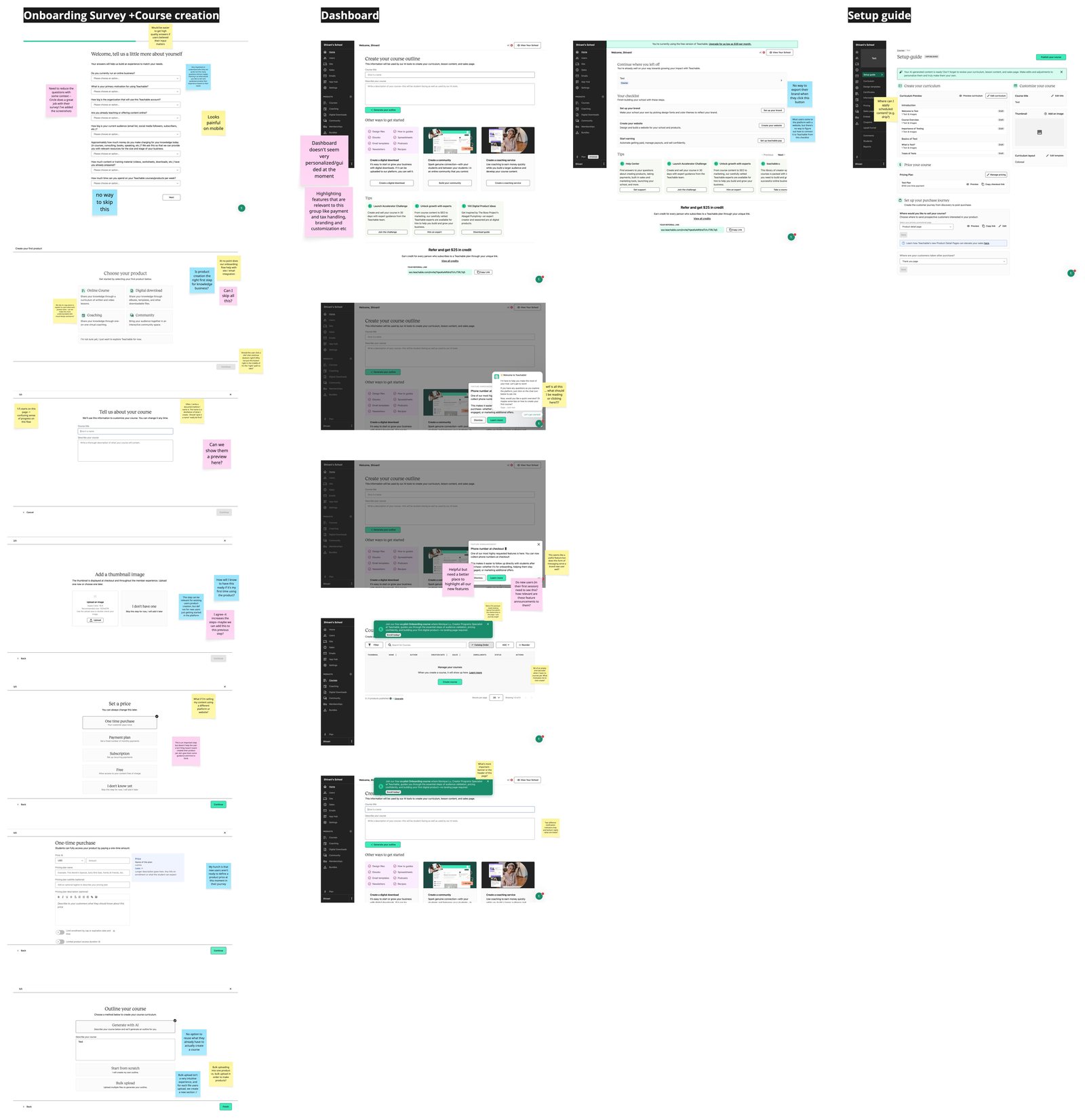
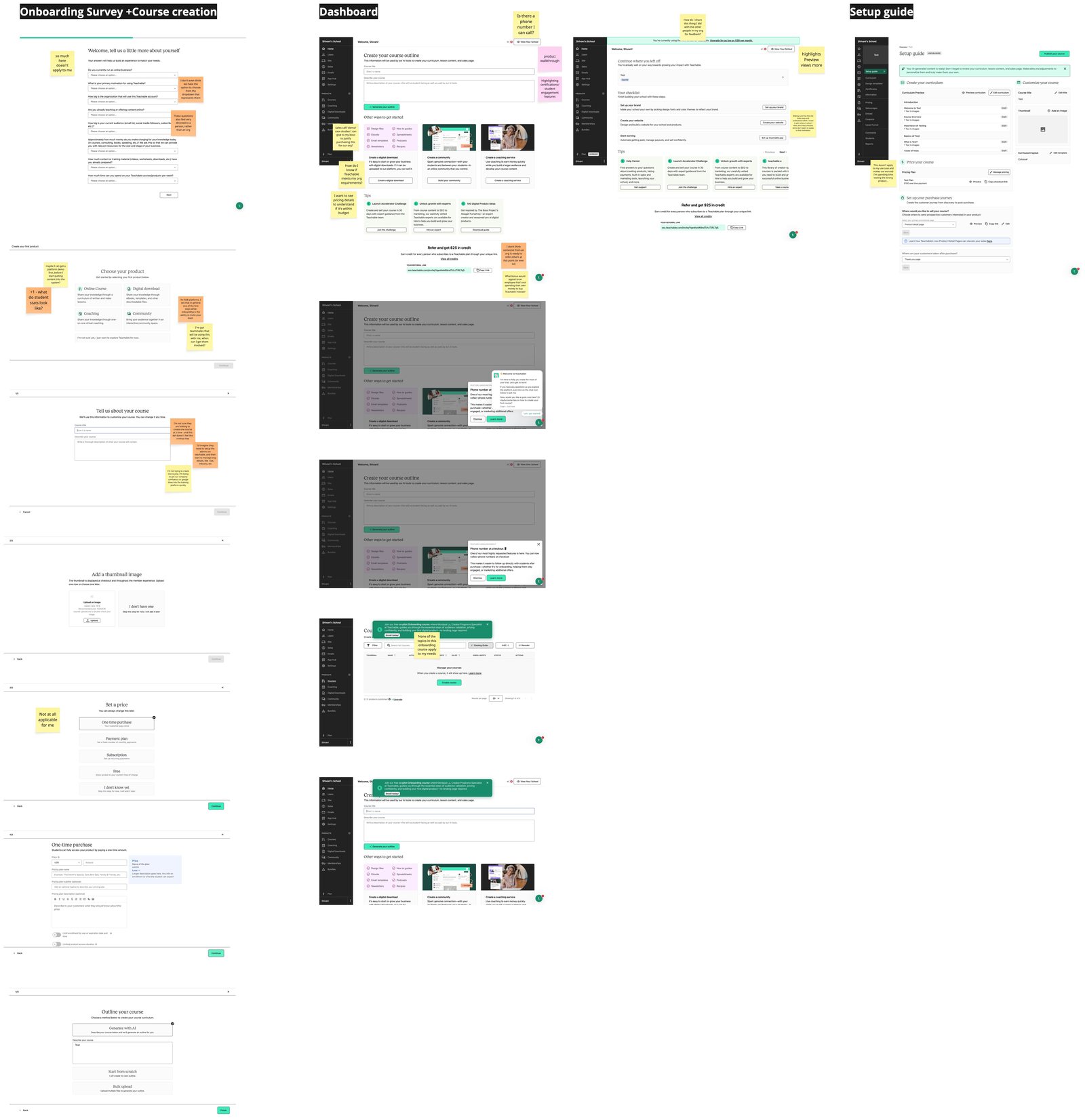
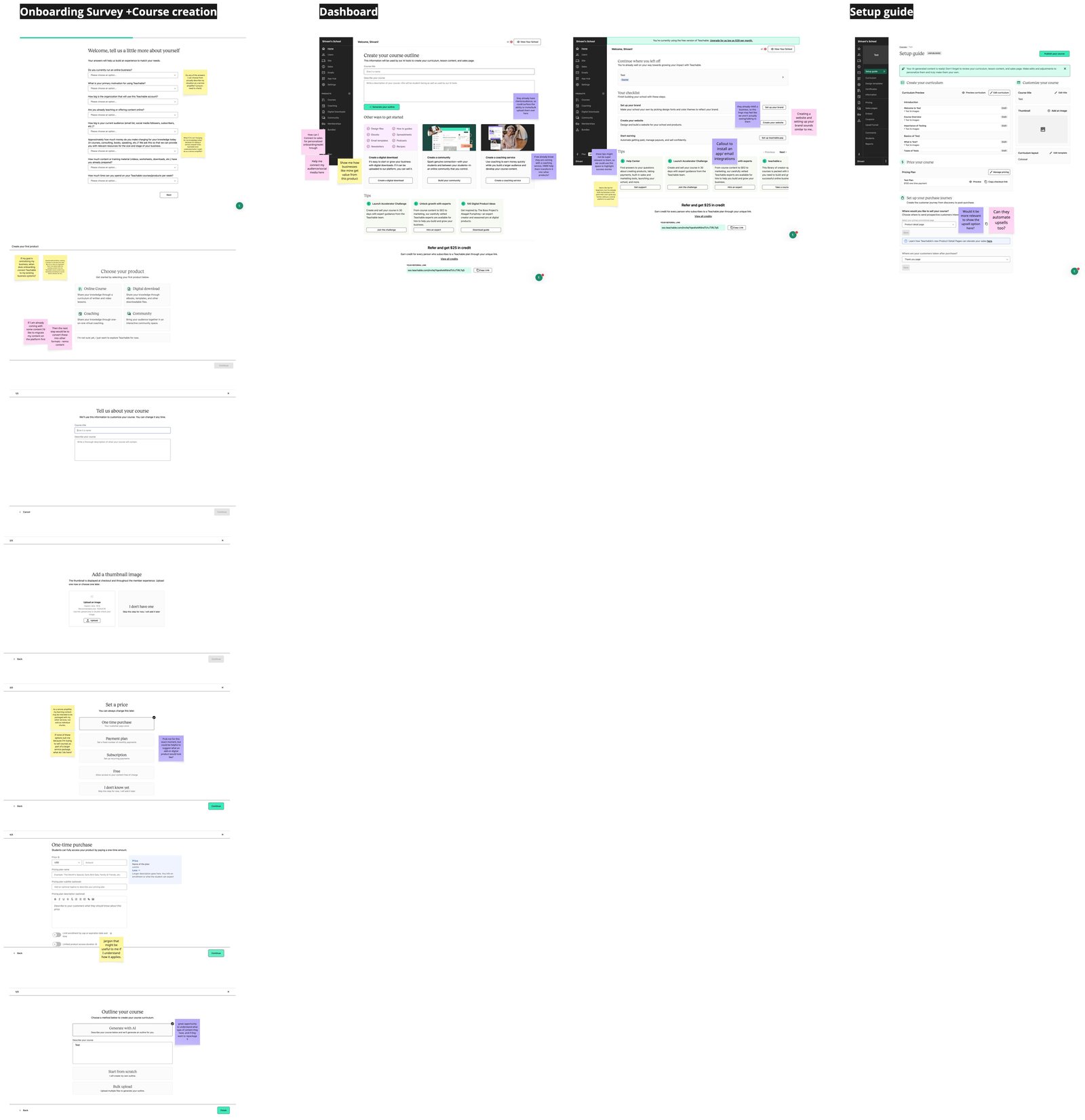
Three personas, three different blockers
Course businesses that already sell, often with their own website
Bulk uploads dump 50+ assets into one course, which then needs heavy reorganizing.
Pricing is requested too early, without value context or benchmarks.
85% have an external website, but guidance on connecting it is missing.
Coaches and consultants adding courses to an established practice
Every pricing option assumes a standalone course. There’s no way to package learning content with their other services.
Product-first setup blocks repurposing what they already have.
They want templates and success stories from peers like them.
Organizations delivering structured training to many people
Questions speak to individuals, so organizational use cases feel out of place.
No early teammate, roles or compliance setup.
Irrelevant pricing steps, and no demos or reporting previews to prove fit.
Competitive analysis
14 products, one question: how much to ask before showing value?
I went through the sign-up and onboarding of course platforms like Kajabi, Thinkific and Podia, and of tools creators already use, like Shopify, Squarespace, Notion, HubSpot and Typeform.
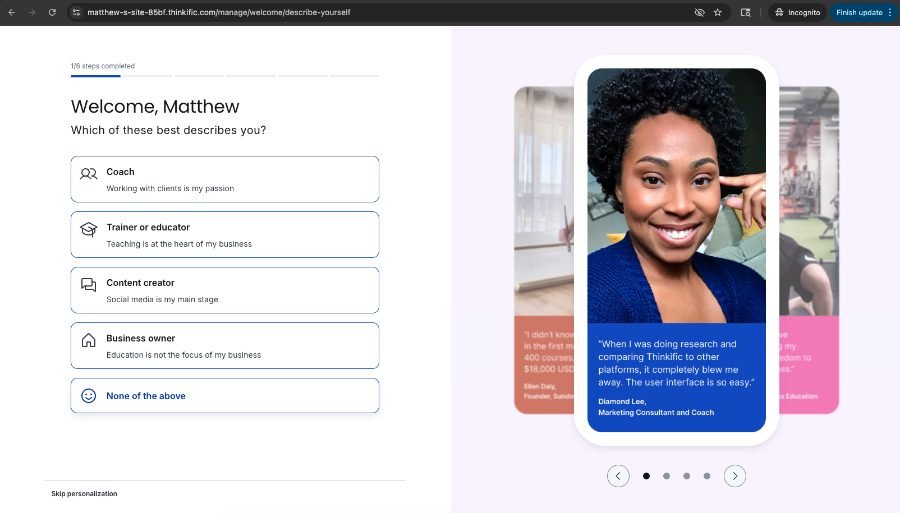
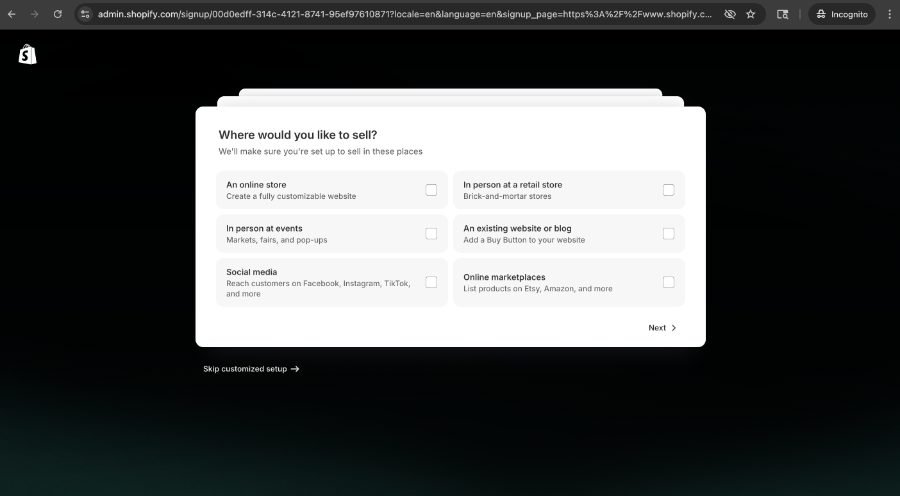
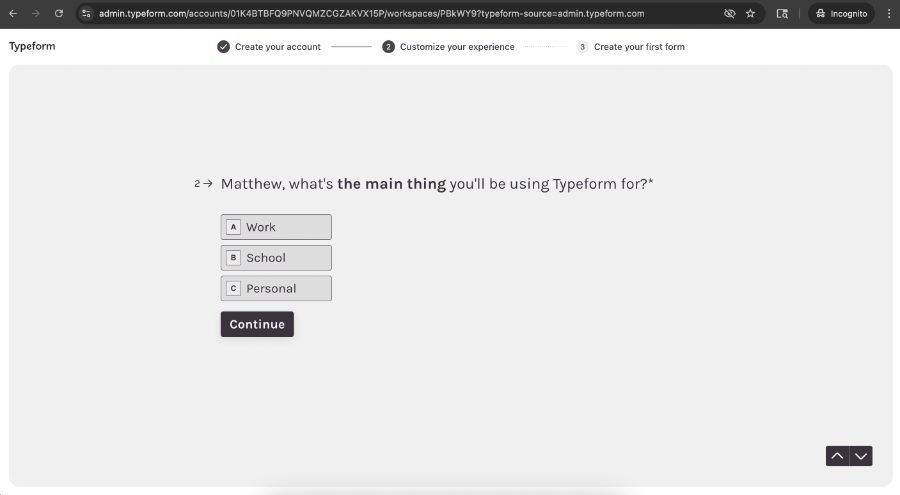
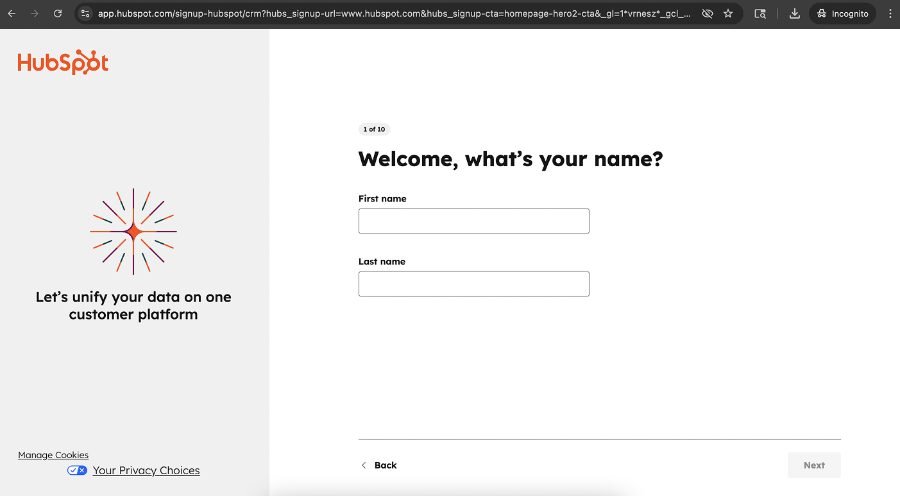
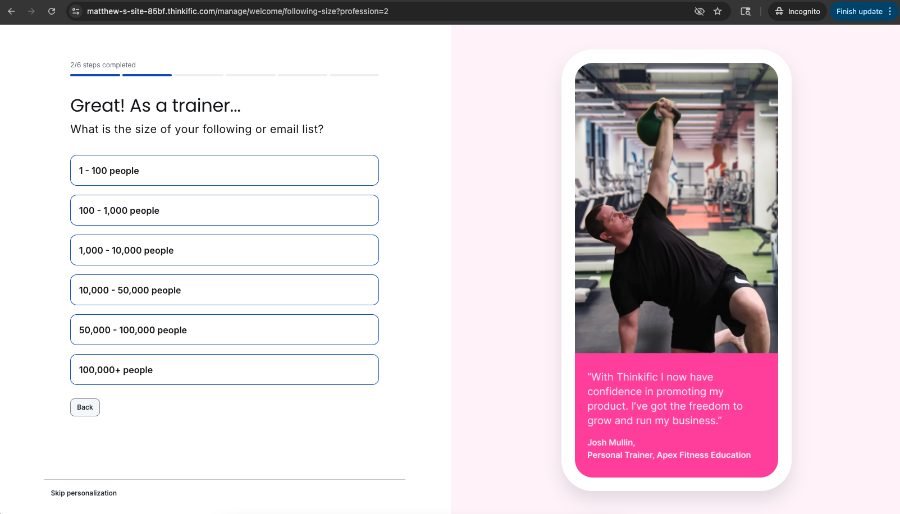
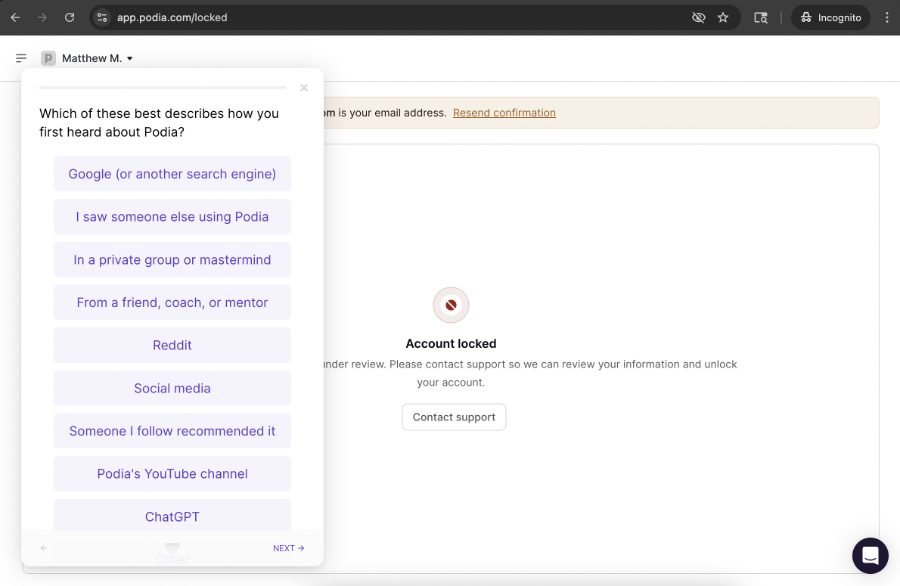
- Generic, linear, non-skippable
- Creators pushed into product creation
- Pricing asked early, without context
- Branch by persona, with skippable steps
- Show visible progress
- Build confidence with stories from creators like them
Ideation
A workshop with the pod, from discovery to sketches
I led a working session in Miro to bring everyone up to speed on new user onboarding discovery, and to reimagine onboarding so it feels more personal, relevant and confidence-building.
- 1Shared contextThe current experience and the competitive analysis
- 2BrainstormedWhat should creators accomplish on day one?
- 3Grouped into themesEight opportunity areas
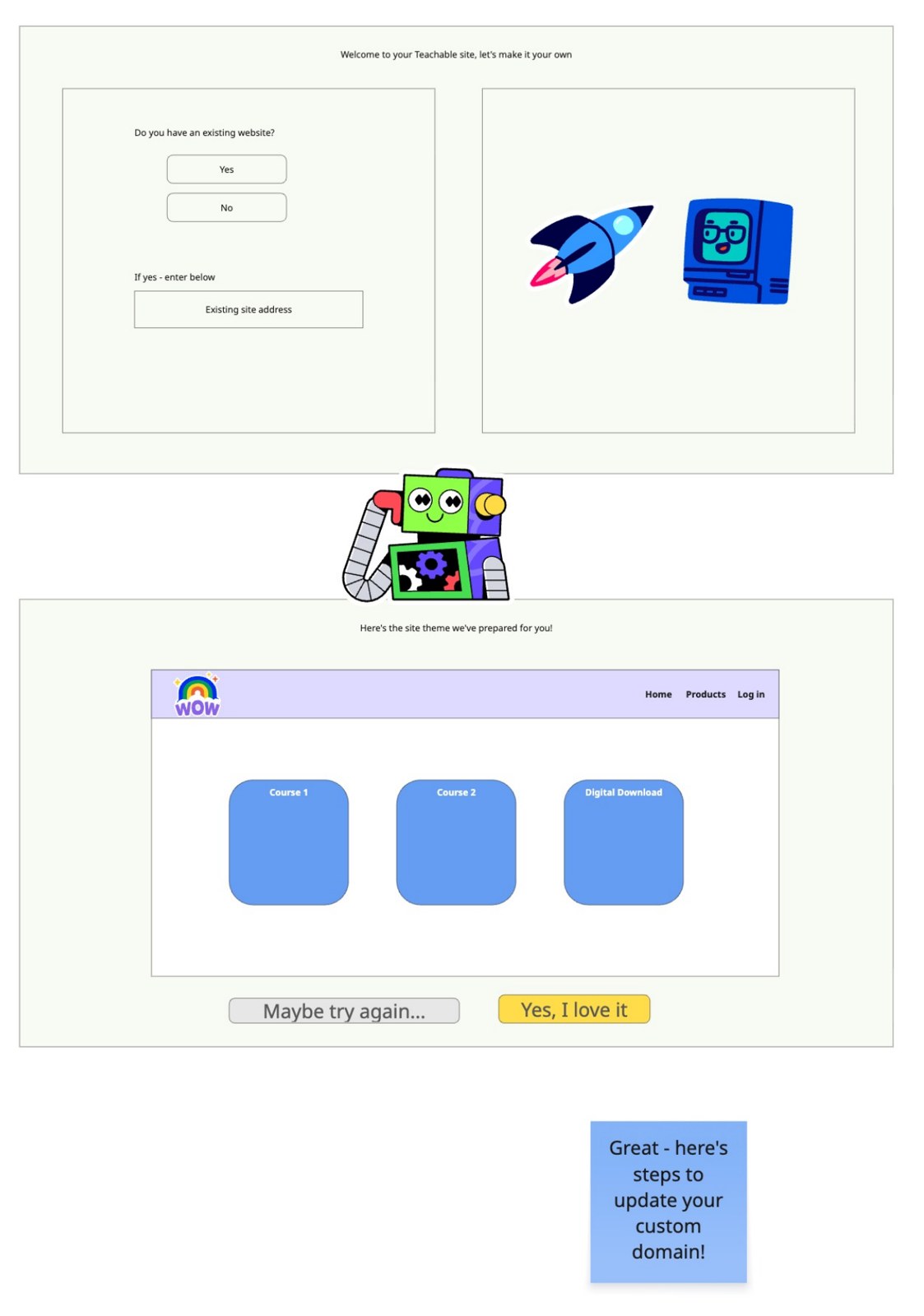
- 4SketchedThree low-fidelity concepts each
What should users accomplish on the first day of using Teachable?
Four of the strongest ideas pointed the same way: let creators see their own school, named and branded, on day one.
Sketches
Everyone sketched three concepts
The ideas from the team’s brainstorm and sketches helped me land on my first explorations, starting with the live preview: show creators their own school, then help them make it theirs.
The bet
If new creators see their school take shape during onboarding, they’ll understand how Teachable fits their business, and fewer will drop off on day one.
Alternatives considered
Why solve setup up front, and not something simpler
The new flow tackles what confuses creators most right away: the things that are hidden in the logged-in experience but required for a school to go live. With those out of the way during onboarding, creators can focus on what matters once they’re in: seeing Teachable’s value and creating content.
More questions on an already long form, and the hardest setup steps still waiting after sign-up.
Faster to the dashboard, but creators still hit the confusing, required steps alone, right before going live.
Lists the tasks, but doesn’t make the confusing ones any clearer or adapt to who the creator is.
Calls showed creators aren’t confused about content. The friction is school setup: name, domain and branding.
Promising for later, but too complex to validate first.
Name, domain and brand handled in the flow, with a live preview, so the logged-in experience can focus on value and content.
Phase 0 · Foundations
Ask the questions that tell personas apart
New survey copy, same screen, so we could start sorting creators and spotting leads for Sales while the new flow was built.
Phase 1 · Completion
From a wall of questions to themed steps
The biggest win was breaking the old nine-question survey into short sections grouped by theme, with a progress bar so creators always know how far they are.
Phase 2 · Conversion
A real “this is mine” moment
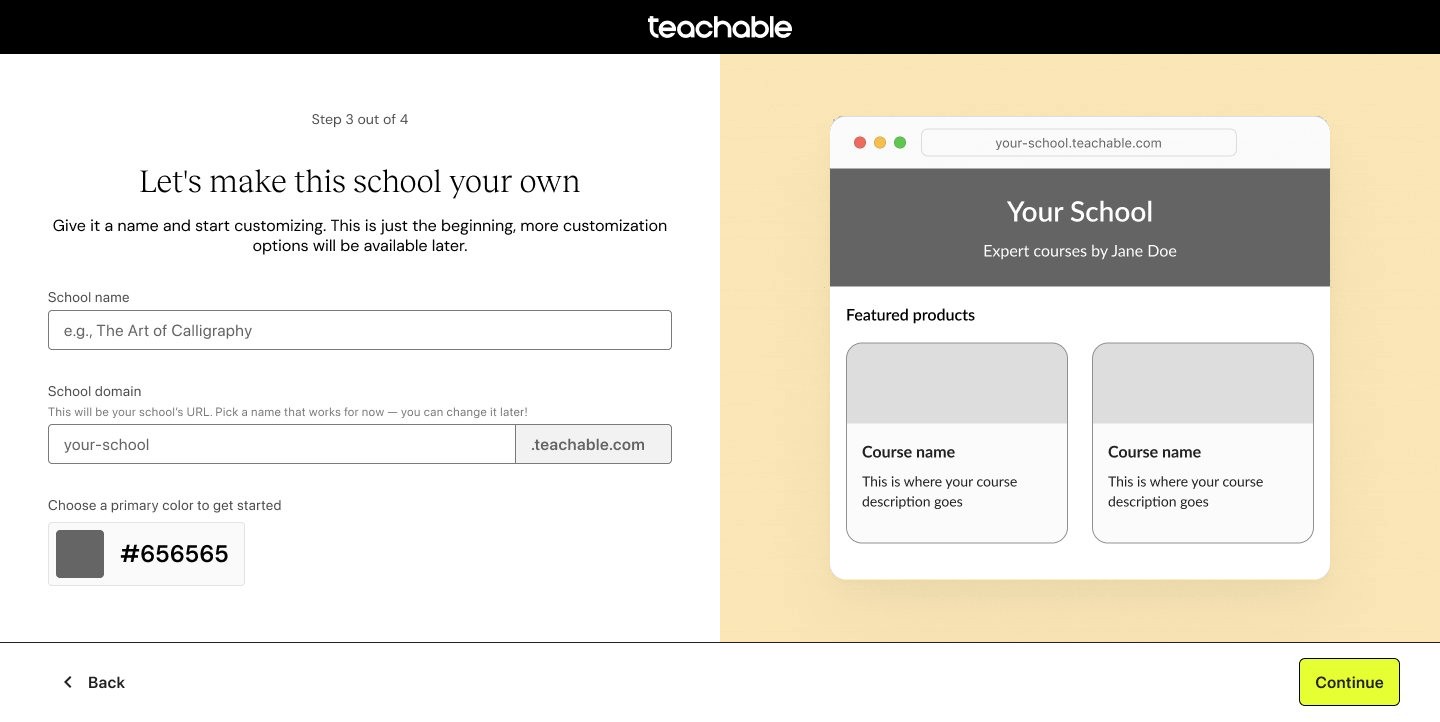
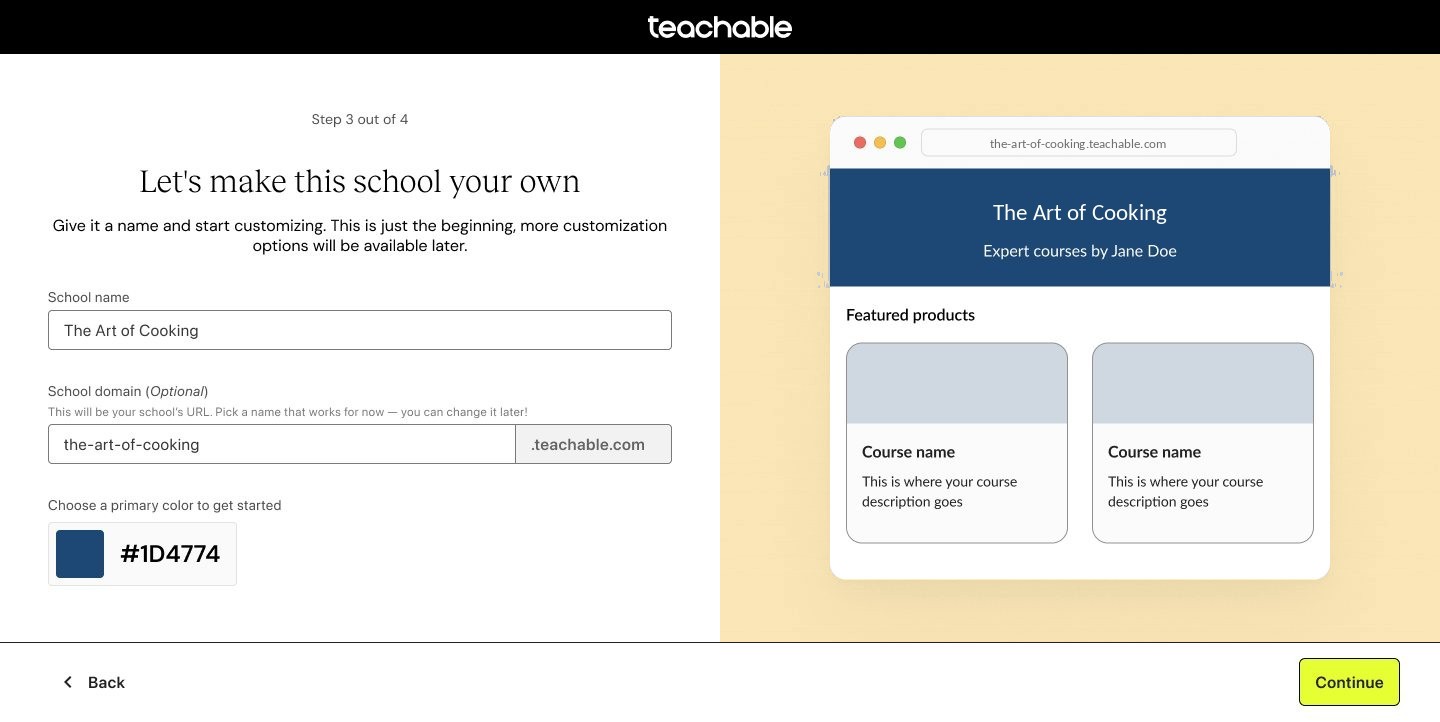
The branding step shows creators their school as they build it. Try it.
Let’s make this school your own
Featured products
Type a school name or pick a color to take over the demo.
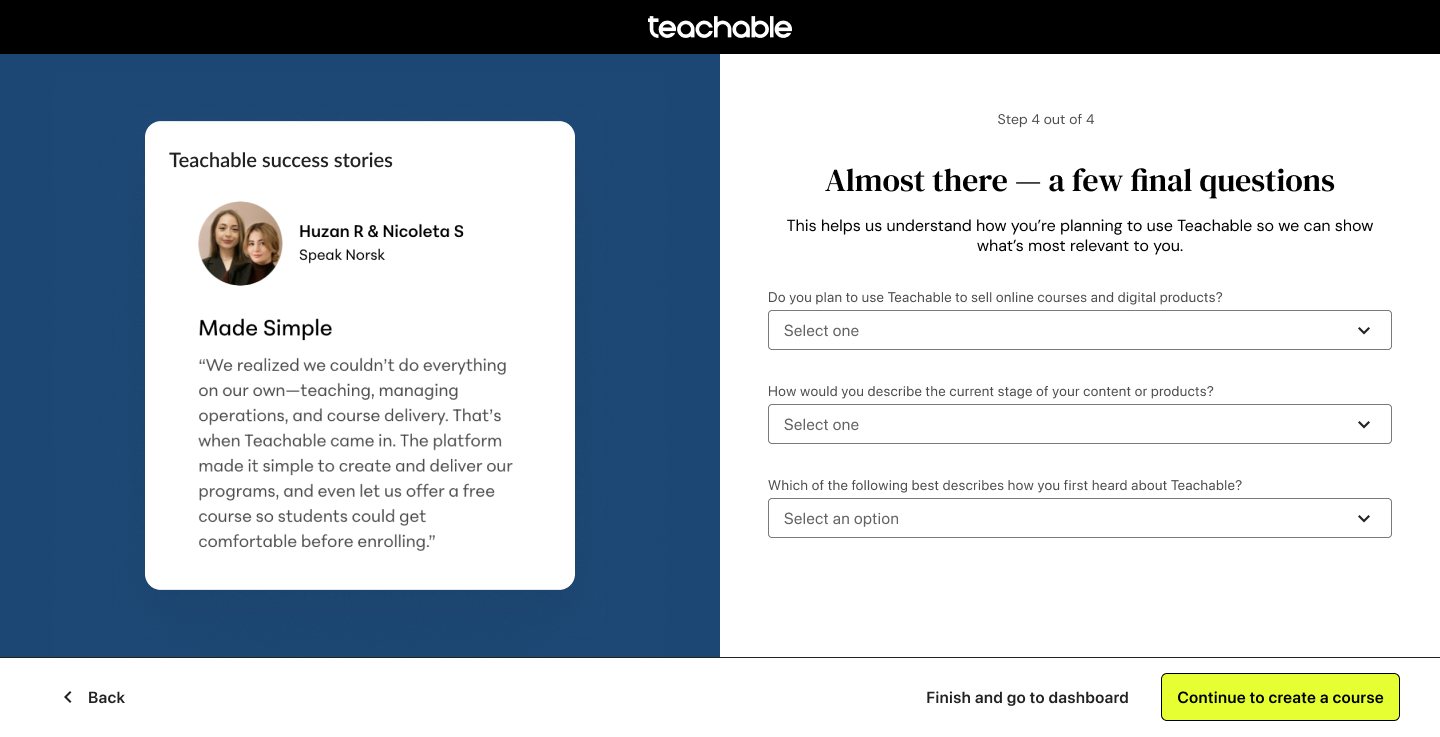
Fast follow
Service amplifiers asked for proof that people like them succeed on Teachable. Success stories now sit next to the last step.
Phase 3 · Product creation
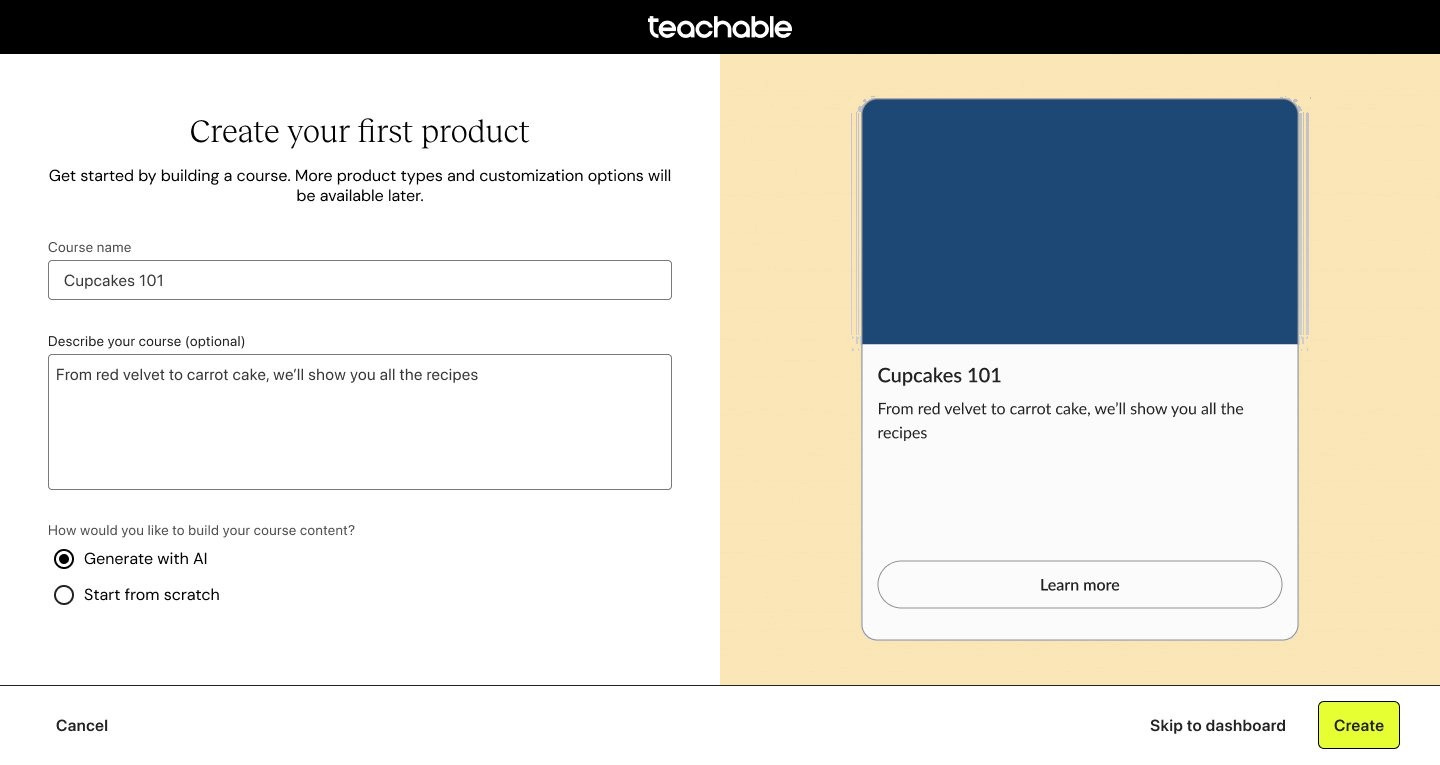
Five steps of course creation, collapsed into one
Thumbnail and pricing moved out of the first flow, so creators reach their content preview faster.
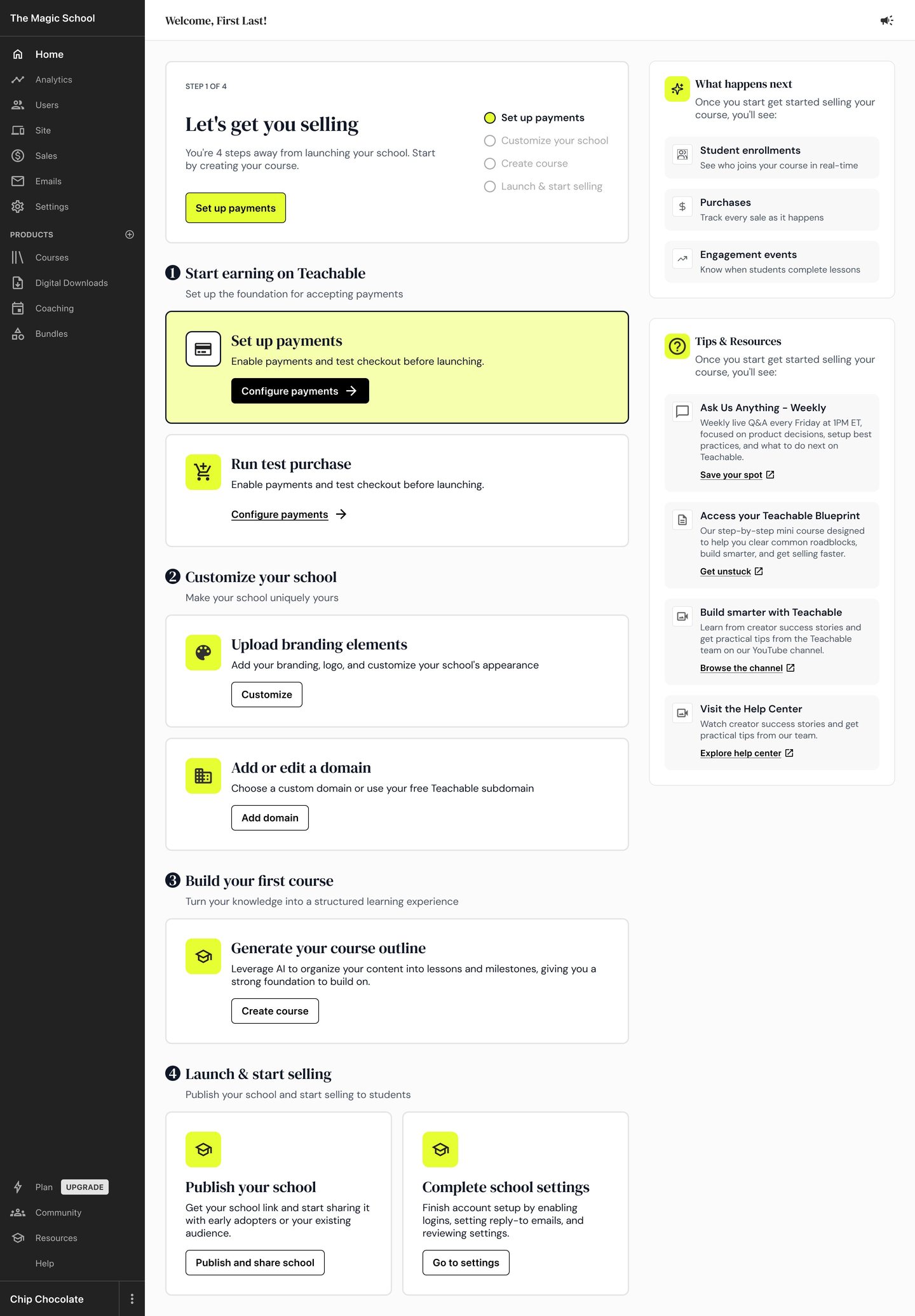
Then, a home shaped by who they are
With the first course created, creators land on an admin home whose checklist is built from their onboarding answers. A creator selling courses is guided to payments, branding and launch. An organization delivering training gets expert help, team invites, program setup and enrollment.
Prototype
Click through the final flow
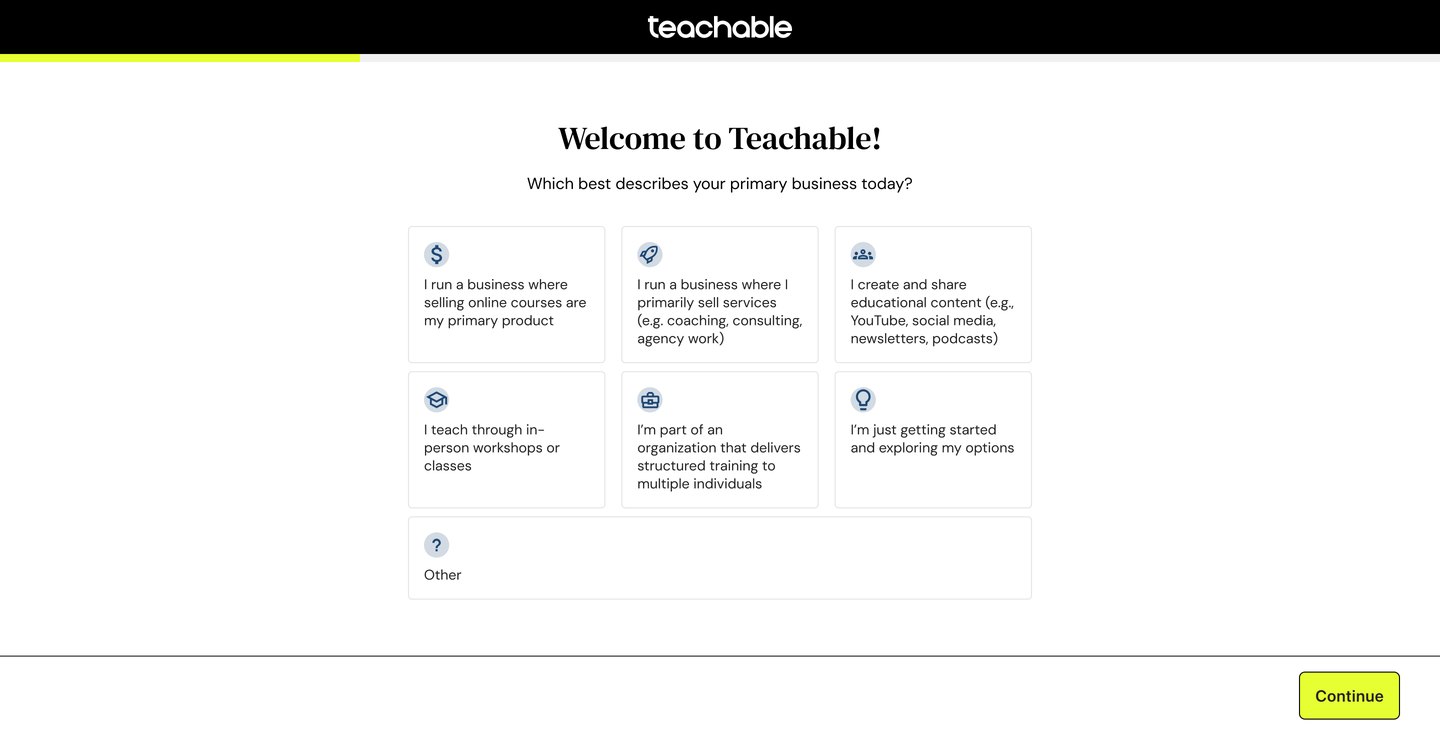
This is the shipped Phase 3 flow, rebuilt so you can use it. Pick who you are, name a school and create a course, and the preview and the admin home adapt as you go.
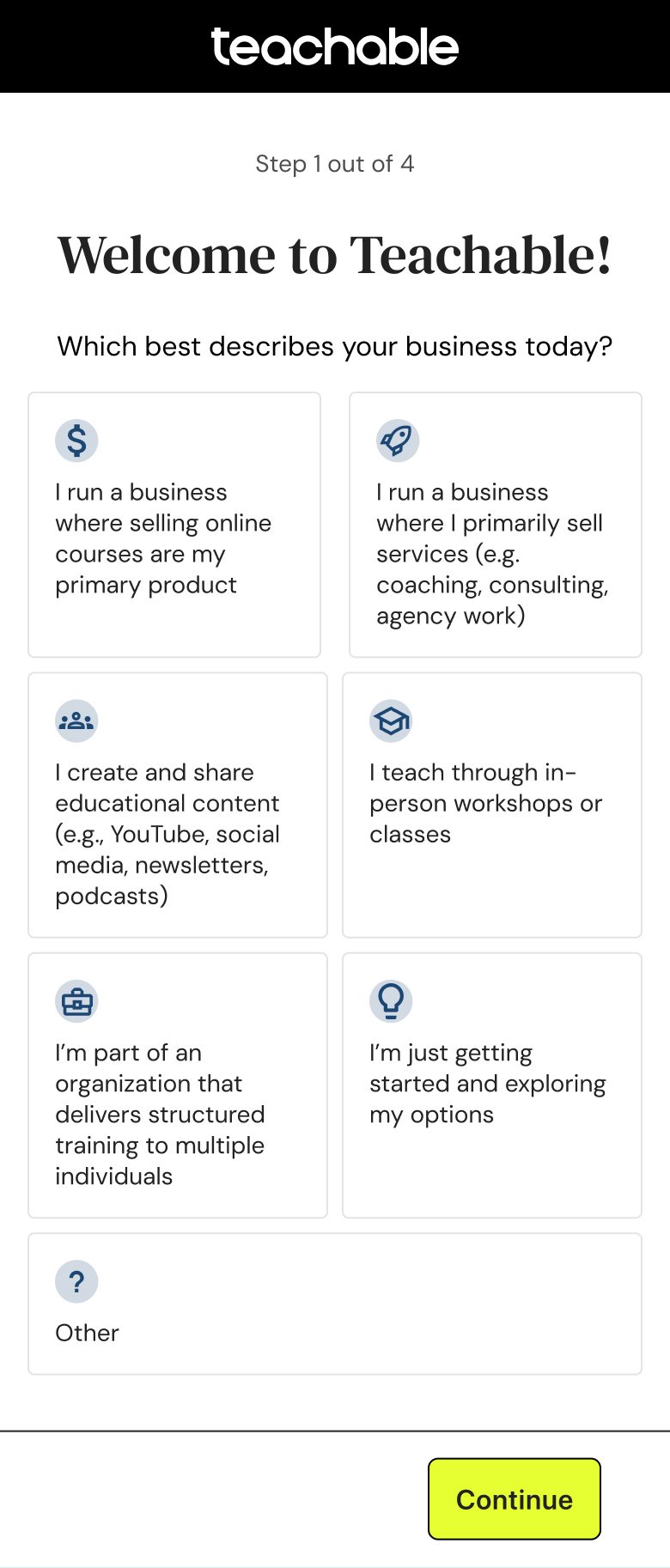
Welcome to Teachable!
Which best describes your primary business today?
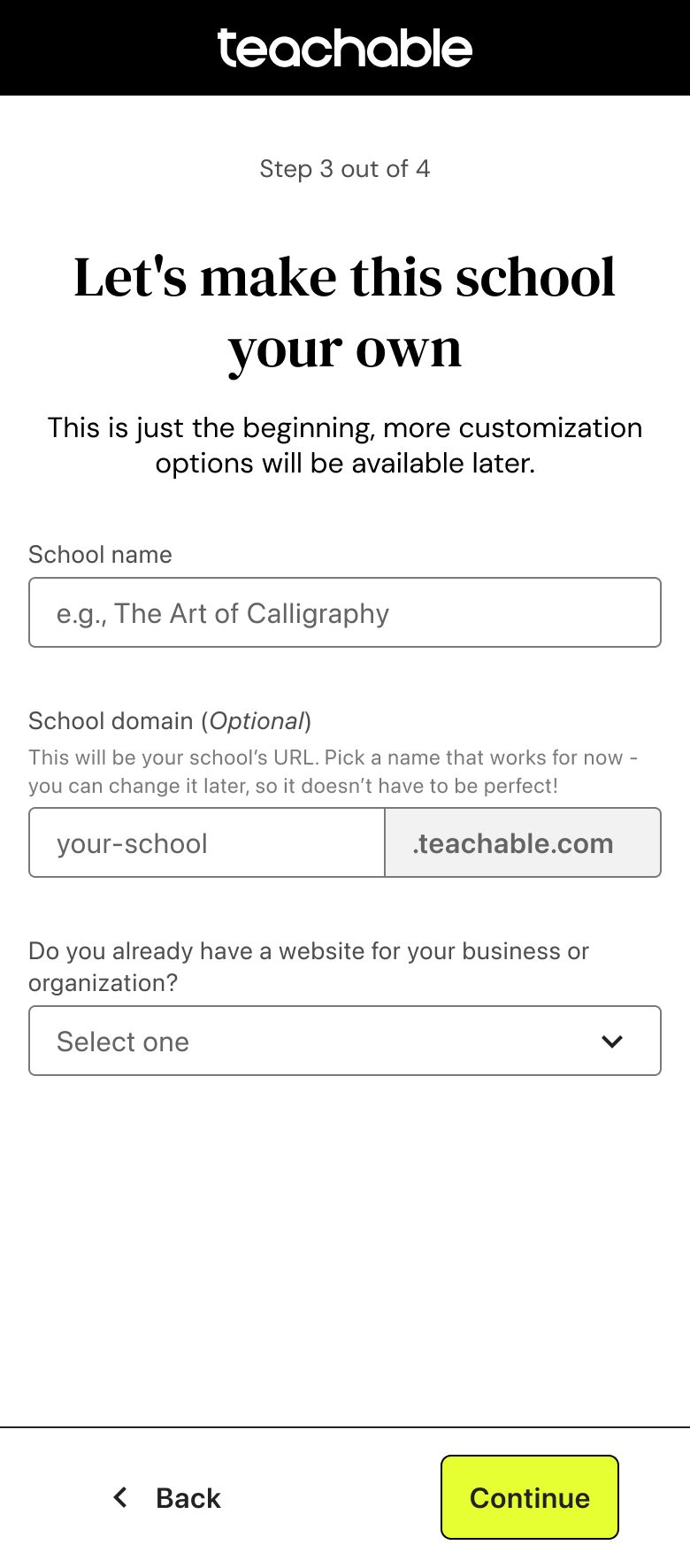
Let’s make this school your own
Give it a name and start customizing. This is just the beginning, more customization options will be available later.
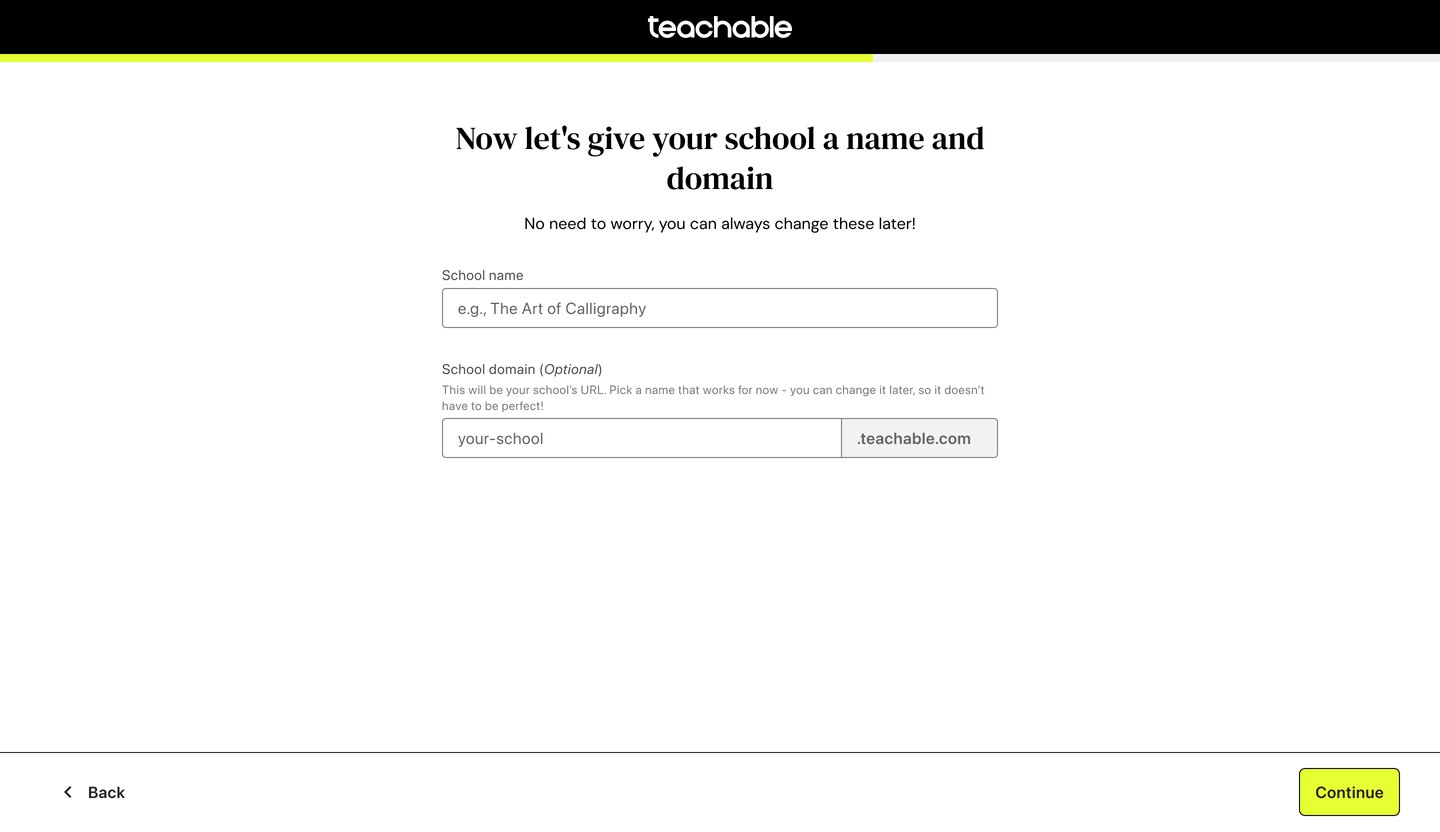
This will be your school’s URL. Pick a name that works for now, you can change it later, so it doesn’t have to be perfect!
Featured products
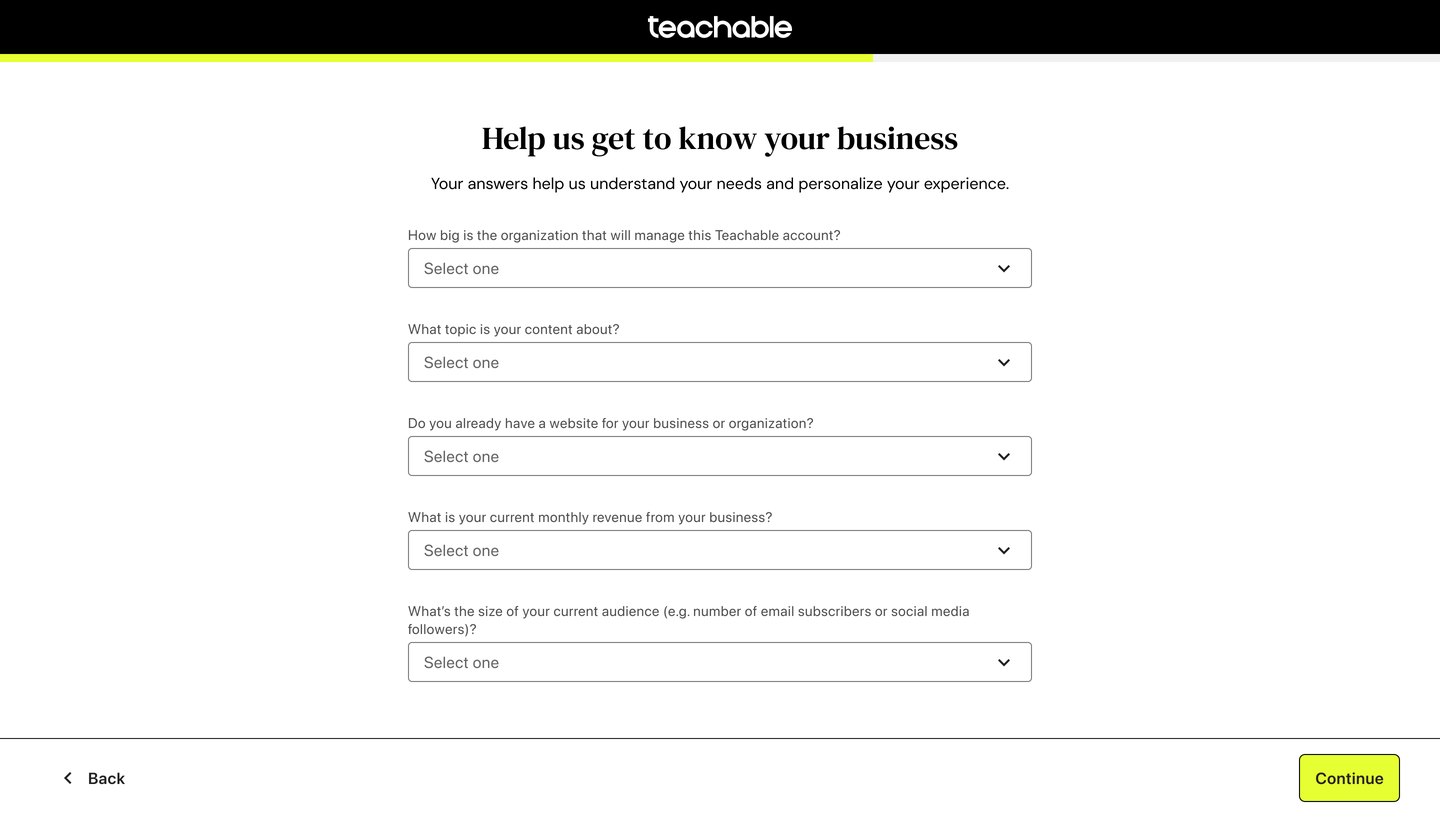
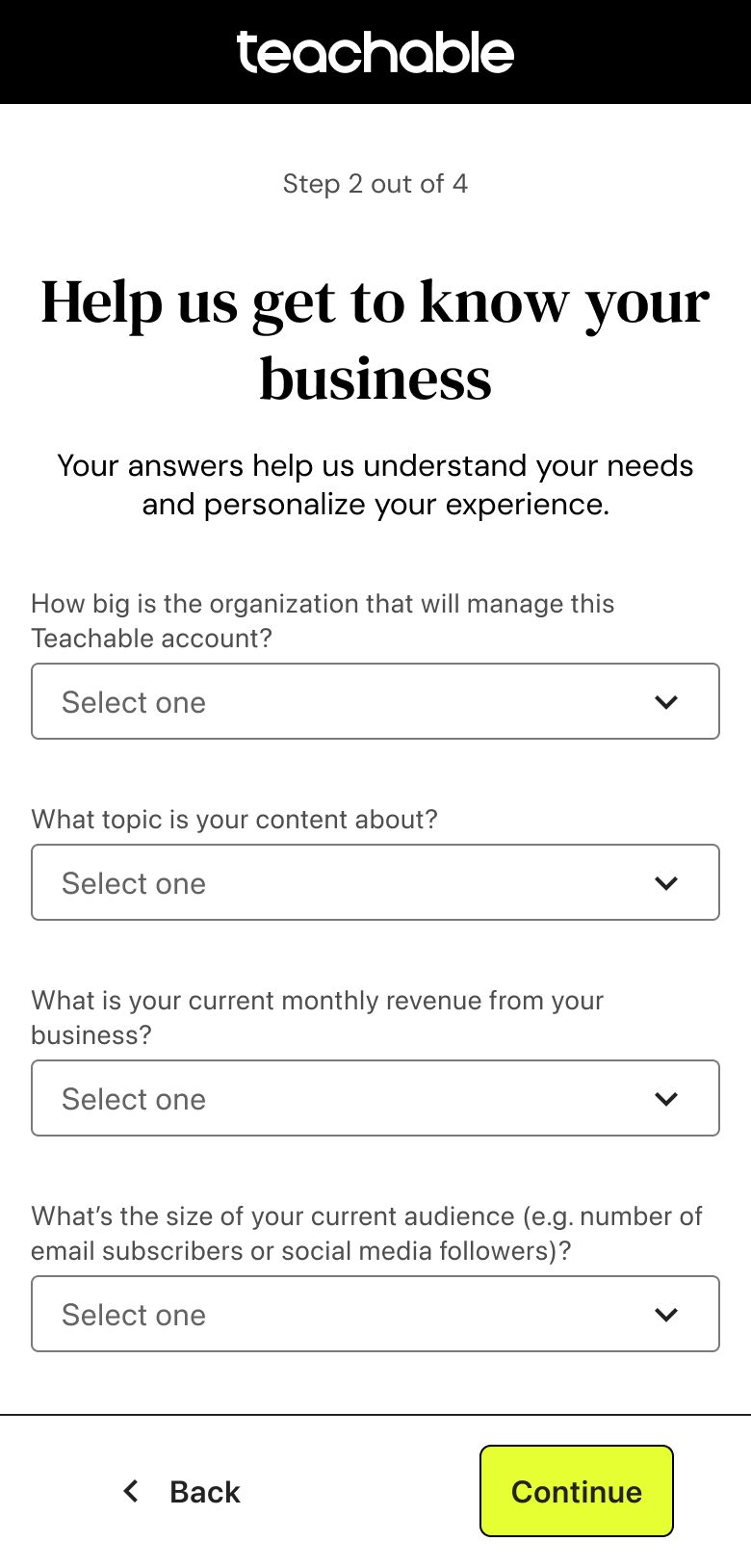
Help us get to know your business
Your answers help us personalize your experience.
Featured products
Create your first product
Start with a course. More product types and customization options come later.
This is where your course description goes
Learn more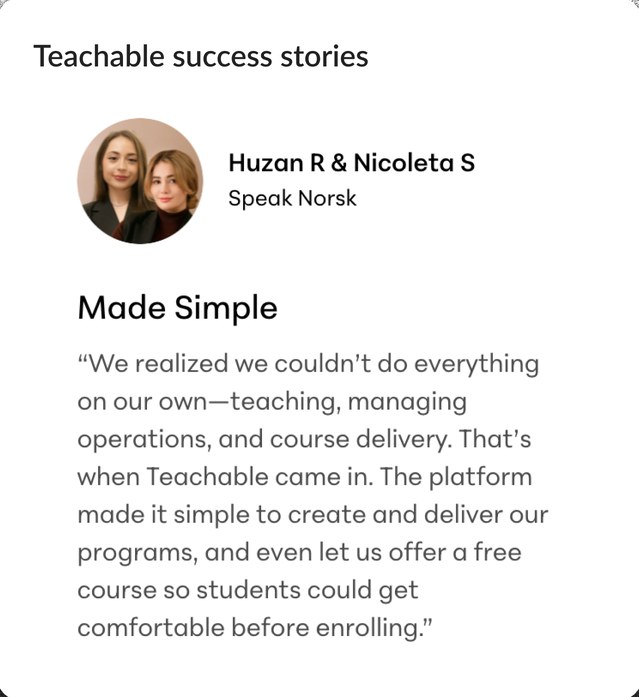
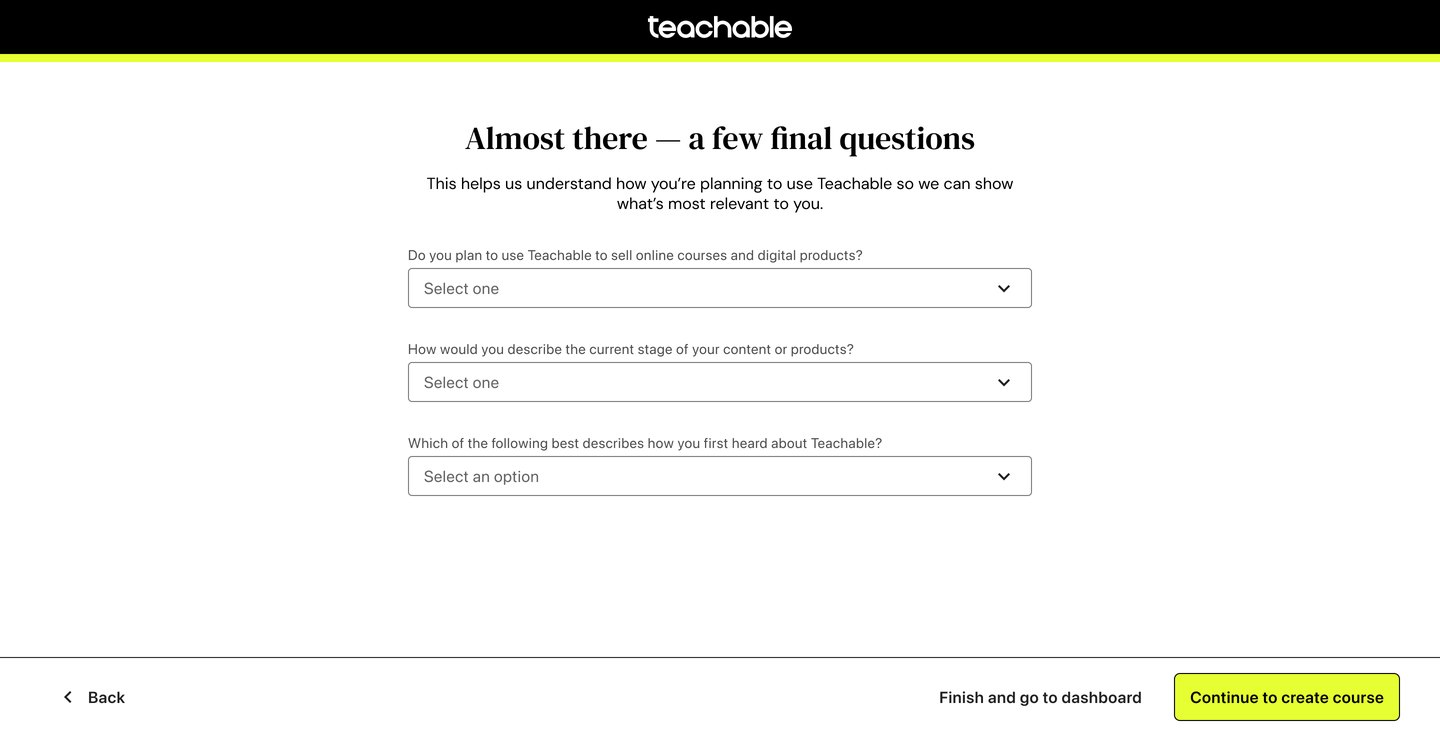
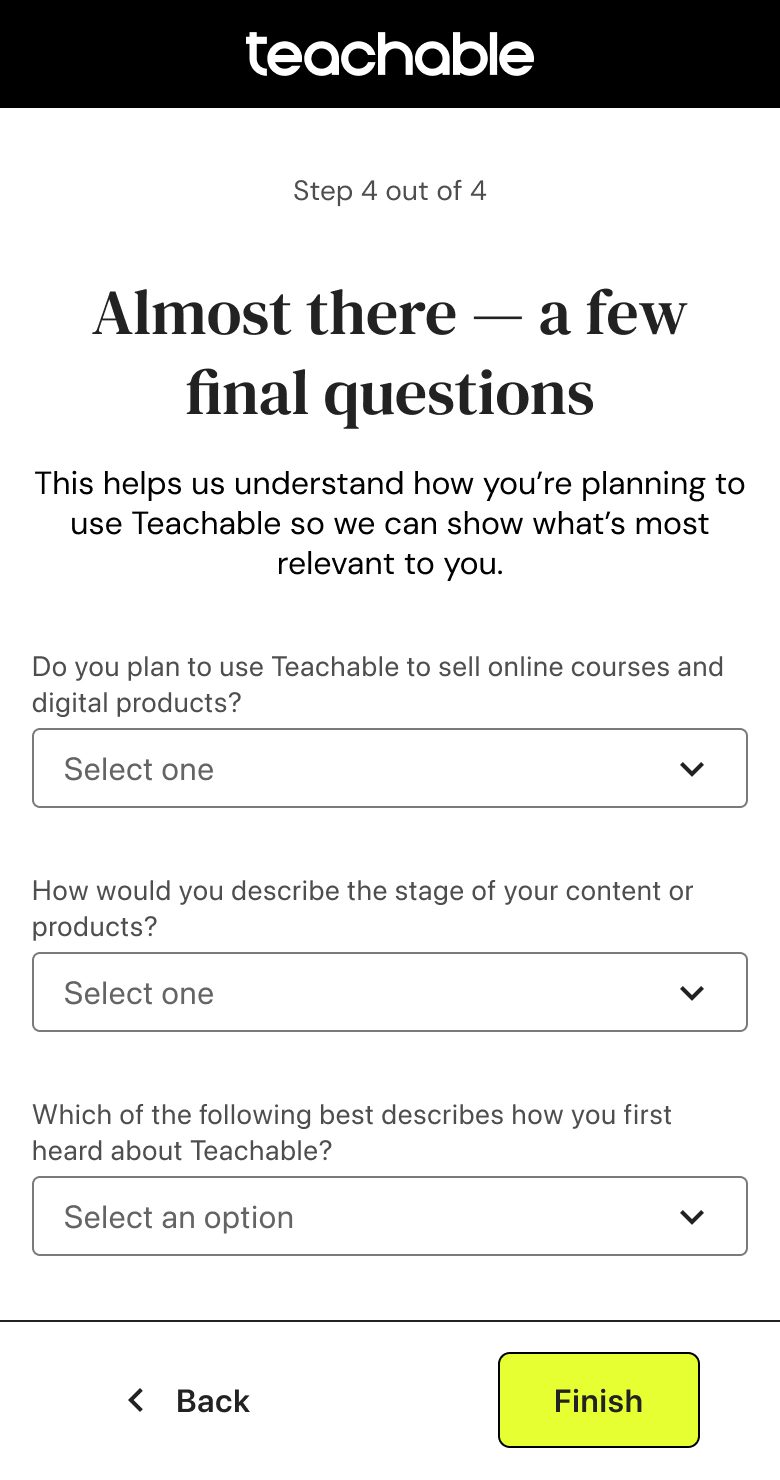
Almost there, a few final questions
This helps us show what’s most relevant to you.
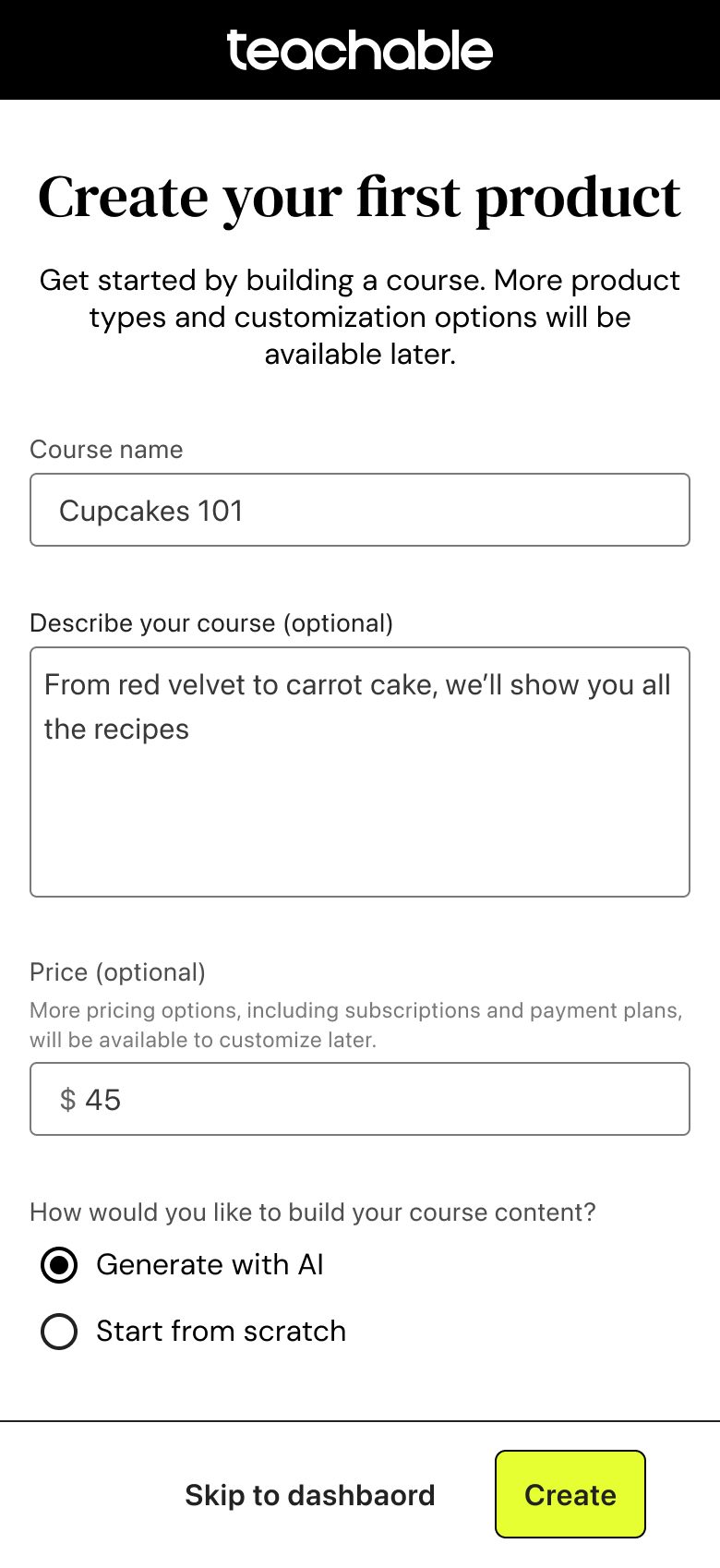
Mobile
Built for browsing on mobile, building on the web
The mobile flow is intentionally lighter: a live preview and color customization are hard to use on a small screen. Data also showed that very few creators sign up on their phone. Most check Teachable out on mobile and come back later on the web to build their school.
Measuring success
What changed for new creators
More trials turned into paid subscriptions.
More creators built their first product in their very first session.
A short, guided flow that creators actually complete.
What’s next
Where the design goes from here
Each phase taught us something about where creators still hesitate. The next iterations keep the same rhythm: one hypothesis at a time, designed, shipped and measured.
Polish the questions
Fast follows already in review: tap-to-answer audience options instead of a dropdown, progressive disclosure so follow-up questions only appear when relevant, and success stories matched to each persona.
Make the preview do more
Pull brand colors and logo from a creator’s existing website, and pre-fill the first product from their step 1 answer, so the school looks like theirs with less typing.
A school built with them
Explore the fully auto-built school we set aside earlier, and carry the same personalization into the admin home, with a lighter path for creators who are just exploring.
Challenges & learnings