Teachable · Case study

One email, one code: passwordless login for every school

Replacing a maze of accounts and passwords with a single email and a one-time code, powered by Hotmart’s authentication service.

Authentication · SSO
Your School

Log in

No password needed.

Check your email

Enter the 6-digit code sent to you@example.com

Having trouble? Log in with password instead

✓

You’re in

No password to remember, whichever way you first signed up.

1email to log in to every school, instead of separate accounts and passwords
100%of schools on passwordless login and sign-up by September 30, 2024
−25%target for login-related support tickets, held for two months straight after launch

The problem

Since 2016, logging in to Teachable meant juggling accounts

Students had a separate account for every school they bought from, plus another one on Teachable.com. Many went to Teachable.com to find their course and left even more confused. The iOS app needed yet another Teachable account, linked to each school by hand.

Teachable.comana@gmail.com · ••••••
Yoga with Anaana.work@… · ••••••••
Sourdough SchoolGoogle login
iOS appLinked manually
ana@gmail.comOne email · one-time code
BeforeDifferent emails, passwords and login methods per school, and creators resetting passwords for students.AfterOne email that works everywhere. The code always goes to the inbox you use every day.

My role

Designing auth flows on top of a new identity platform

I was the designer on the I&W pod, working with product and engineering leads and Hotmart’s identity team. Teachable’s login would move to Hotmart’s authentication service, so every sign-up, login, recovery and enrollment flow had to be redesigned.

What experiences should not change for our customers?
Where should school branding show up, and where should Teachable’s?
How do flows change during and after the migration?
What happens when creators can no longer set student passwords?
How do students find their courses: in the school, or on Teachable.com?
What are the pain points in the iOS app?

The solution

Email first, code second, password only as a backup

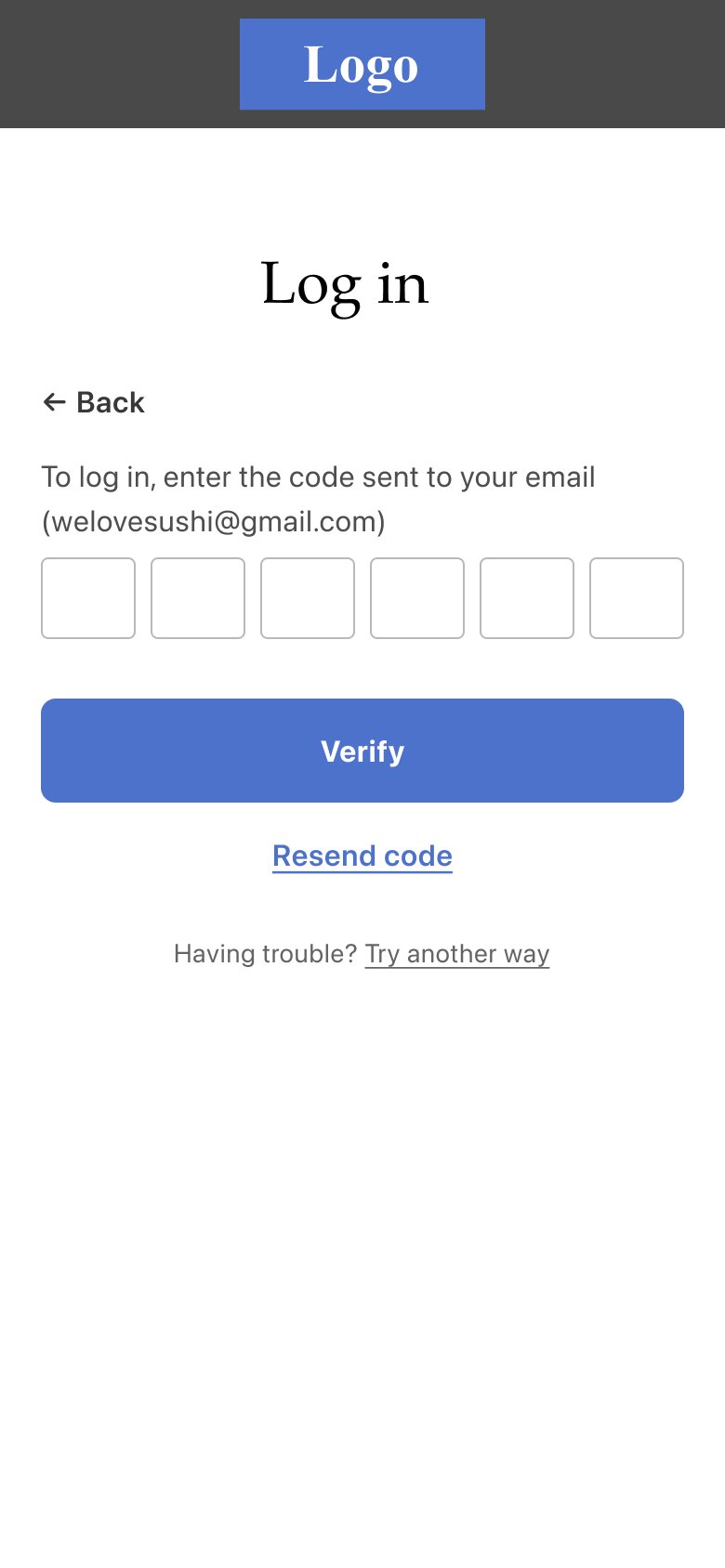
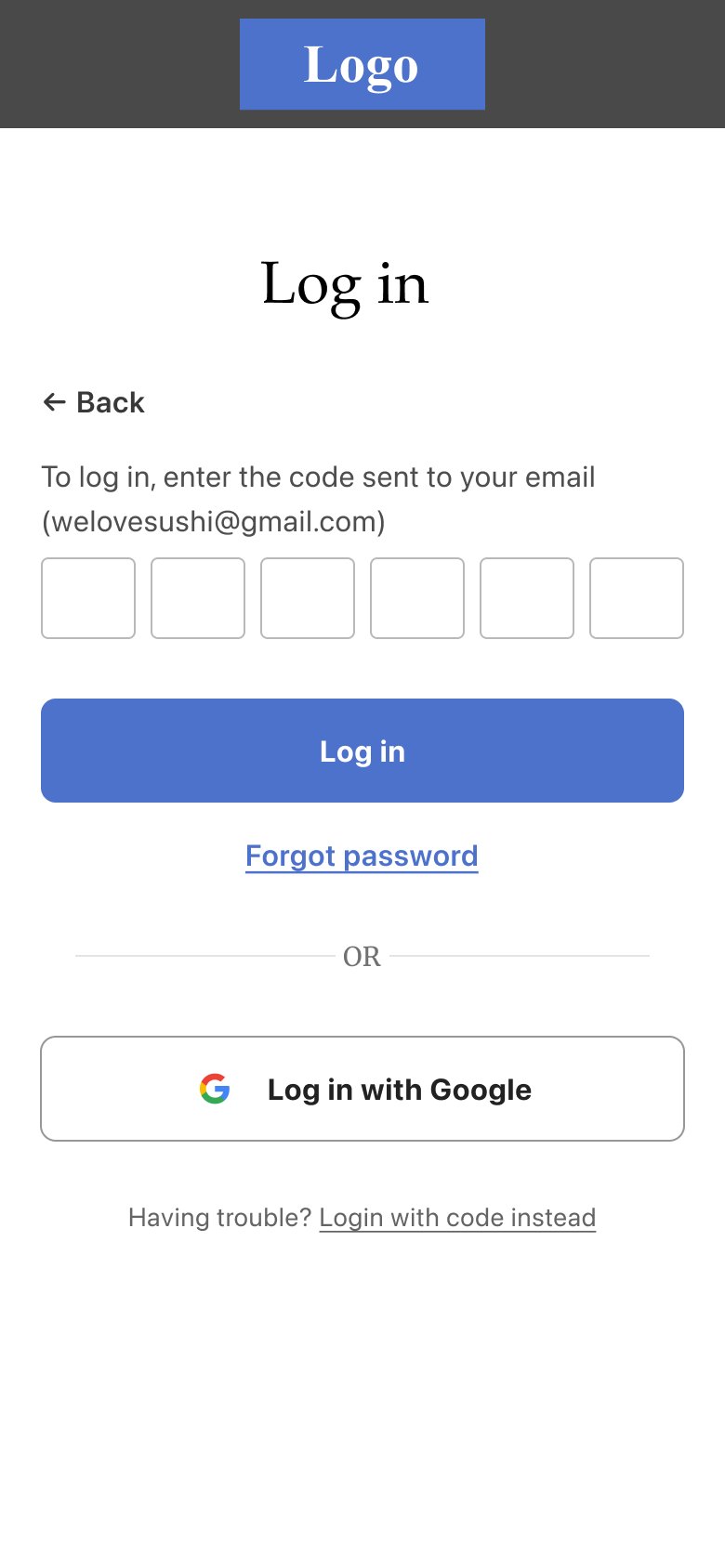
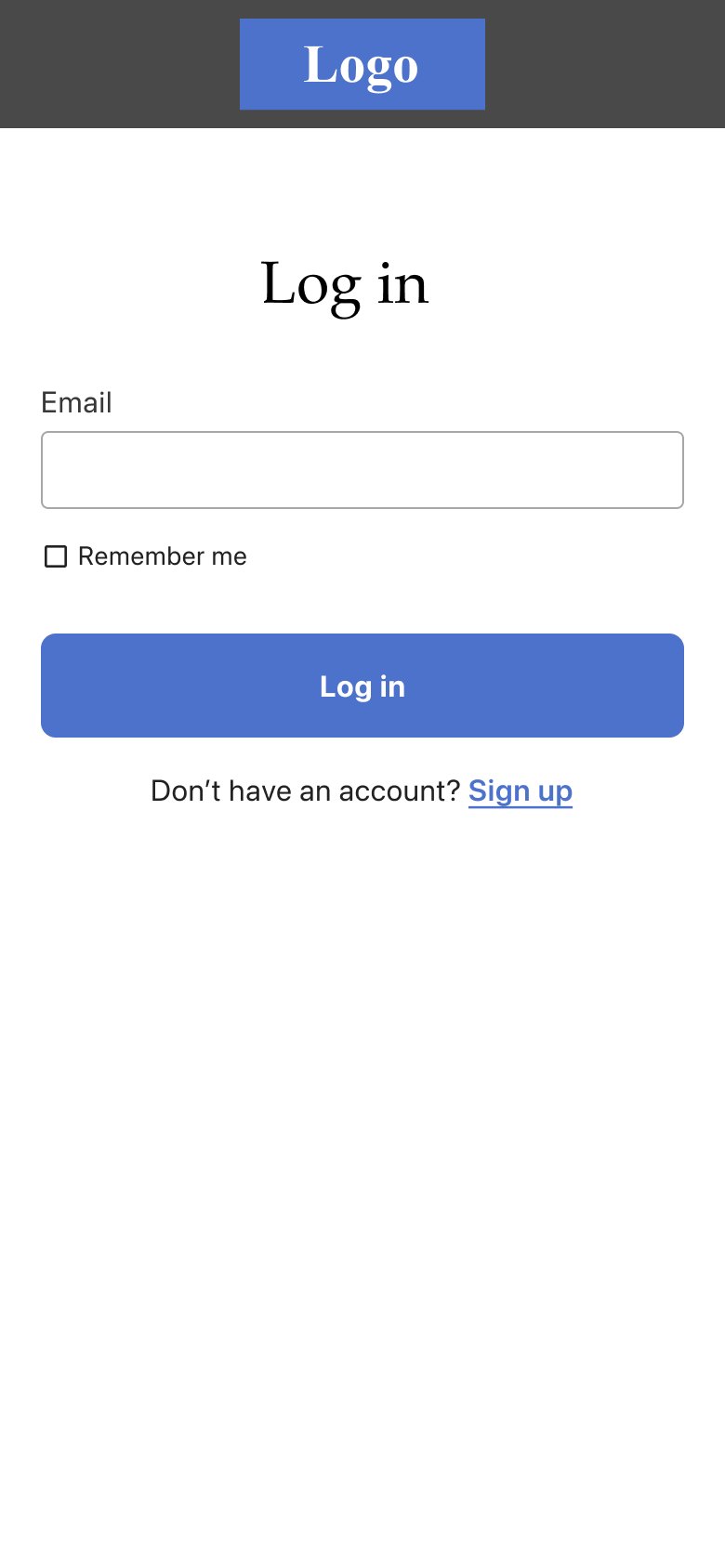
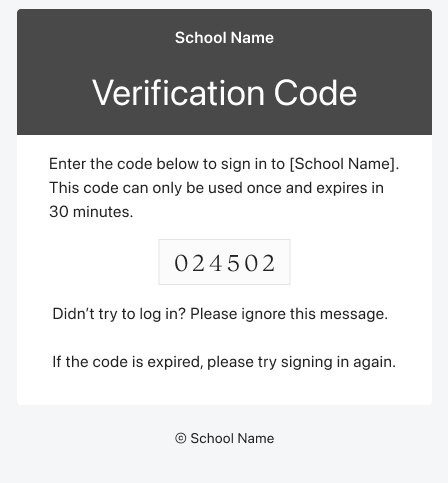
Every school, white-labeled with its own branding, now asks for just an email. A one-time code arrives in the creator’s branded email. Password and Google login moved behind “Having trouble?”, because offering every option up front confused students.
Log in with just an email
1Enter your email
School-branded verification code email
2Get a branded code
Enter the six-digit code
3Enter the code
Backup: log in with password or Google
4Backup: password or Google

Details

The small things that made it feel trustworthy
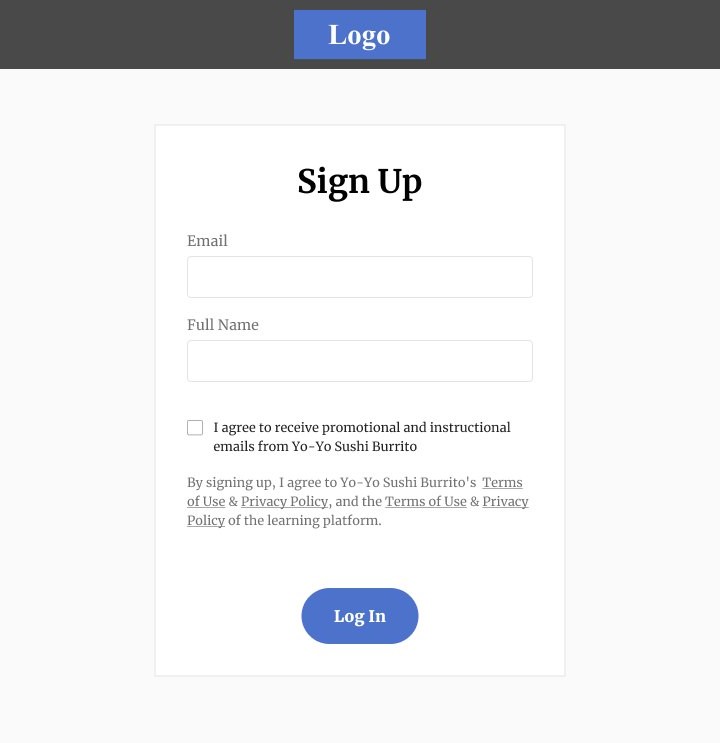
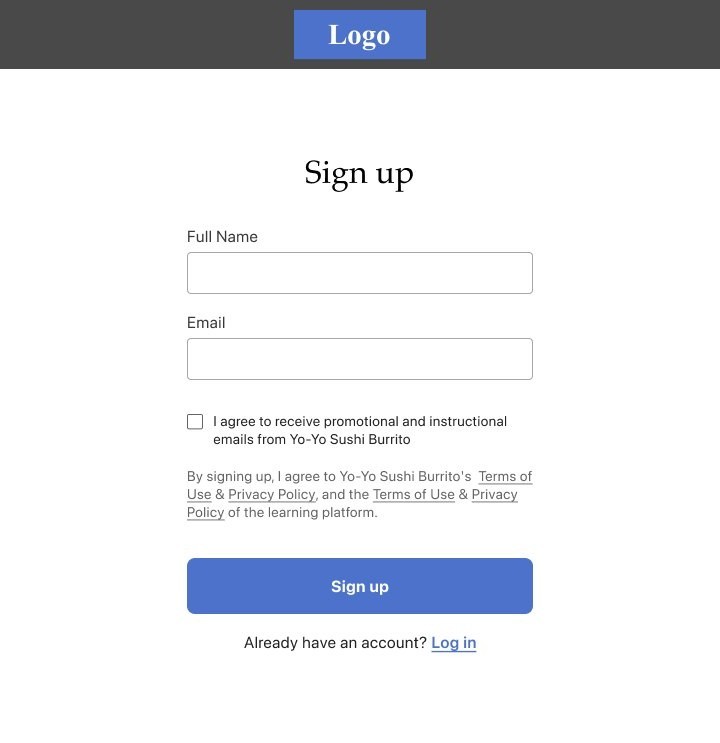
Old sign-up form
Updated sign-up form
BeforeAfter

A cleaner white-label form

Small visual fixes made the form feel at home in any school’s brand.

  • System font for body textSF Pro for body copy, form labels and button text
  • Sentence-case titles“Sign up” instead of “Sign Up”
  • Clearer fieldsUpdated form field outline color
  • Softer buttonsCorner radius updated to 8px

Drag the handle to compare.
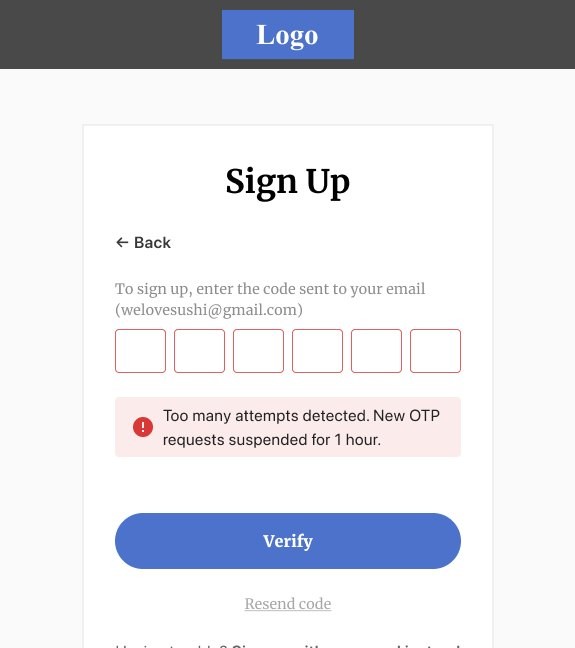
Too many attempts error on the verification code step
Clear limits. Error states for wrong codes and too many attempts, so the flow stays secure without dead ends.
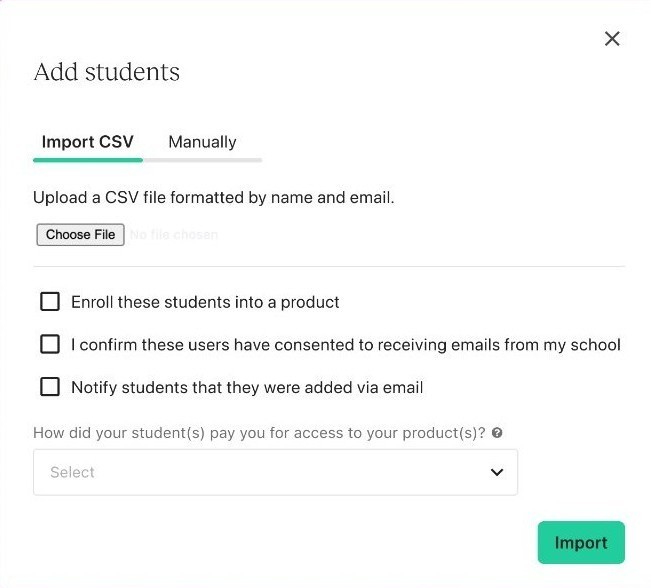
Add students modal without a password field
No more passwords for creators to set. Manual and bulk enrollment just need an email. Students set their own password later, if they want one.

Rollout

Shipped gradually, with a kill switch

20%Login, beta. High-GMV schools excluded, feature flags ready to switch off.
50%Monitor, fix bugs and answer creators’ questions.
100%Login and sign-up for every school by September 30, 2024.
In-product announcement · Users pageNo more passwords!

Soon, you and your students, affiliates and authors will be able to log in with a one-time code sent by email – no more forgotten passwords or login issues.

Learn more

I partnered with the product marketing team on the go-to-market strategy, and wrote the in-product announcement that introduced the change to creators. It went out alongside a help center FAQ, a changelog entry and a newsletter.

Key learnings

What I’d carry forward

Fewer choices, less confusionHiding Google and password login behind “Having trouble?” made the main path obvious without taking options away.
Design the migration, not just the end stateEdge cases like two accounts with different emails needed their own flows and support guidance.
Plan support with the launchCreators lost the ability to set student passwords, so FAQs and support tooling had to ship together with the flow.